

Digital asset management
Every photograph, film and document, in one library
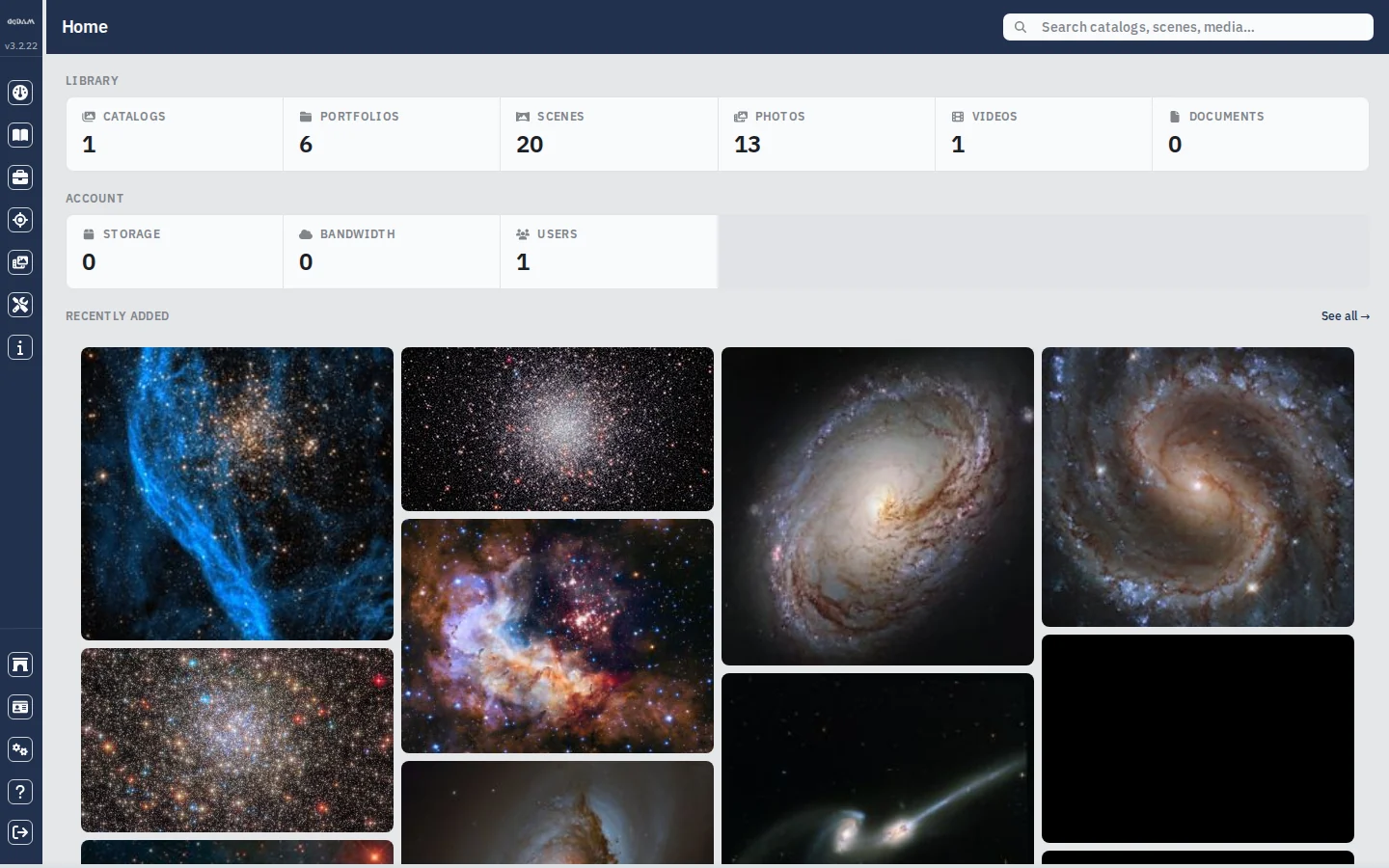
DigiDAM keeps a library of digital assets and the collections that organise them. Four levels of collection, a viewer for every kind of file, and one search box that reaches the whole library — with the ingest and indexing behind it doing the filing.
For anyone whose media has outgrown folders — families, photographers, studios and archives keeping decades of material findable.
Four levels, not a folder tree
Collections nest in a fixed order, so the same shape holds whether the library has a hundred files or a hundred thousand. Breadcrumbs on every page walk back up it by name, to the catalog.
 01
01Catalog
The top of the library. Holds portfolios.
 02
02Portfolio
Holds scenes, or further portfolios.
 03
03Scene
Holds the media itself.
 04
04Media
The file — a photograph, a video, a document.
What it does
Everything DigiDAM gives you
- Search the whole library at once
- One box, beside the page title, looks across catalogs, portfolios, scenes and media together and shows a thumbnail beside every result. Pick one to open it.
- List, Card and Collage
- A table of names and details, a grid of tiles, or a wall of thumbnails at their own proportions. In the collage a click opens a full-screen lightbox you can page through. Your choice of view is remembered.
- A viewer for every kind of file
- Opening an item sends it to the viewer that suits it — images to the image viewer, video to the player with its transport controls, PDFs and text to their own readers. The details panel sits alongside, and collapses when you want the file to itself.
- Details that stay with the asset
- Name, description, subjects, locations, tags and rating, on collections and on media alike, with counts of the images and videos inside. Editing writes straight back to the item.
- Covers, thumbnails and highlights
- Right-click any item to make it the collection cover, its thumbnail in listings, or a highlight in the carousel at the top of the page. Each setting has a matching remove.
- Sort, filter and rate
- Five stars on any item, then sort by name, date or rating in either direction. Filter a busy catalog down to just its collections or just its files, or to everything above a minimum rating.
- Ingest straight from storage
- Point DigiDAM at a storage path and it creates the catalog, portfolio or scene it finds there along with the media inside, descending into sub-folders when you ask it to. Individual files go into an existing collection without re-reading the tree.
- Thumbnails and indexing that catch up
- Thumbnails are rendered for images and pulled as a poster frame from video, covers are chosen from the media a collection already holds, and re-indexing puts anything back into search results after a bulk change.
- Queues you can see and steer
- One card per queue on the maintenance page: how many jobs are waiting, how fast they are draining, and the recent trend. Failures show their count, with retry and clear; waiting work can be cancelled. Every action is scoped to your own tenant.
Start using DigiDAM
One account covers every DGInterSoft application, DigiDAM included.