

Home bookkeeping
Your whole financial picture, in one file you own
PayCalc keeps the accounts, transactions, investments and budgets of a household in one place. Bring your history in from a Quicken export, connect the bank if you want the typing done for you, and carry on from there.
For households — individuals and couples keeping shared finances straight, including the brokerage and retirement accounts a banking app never shows.
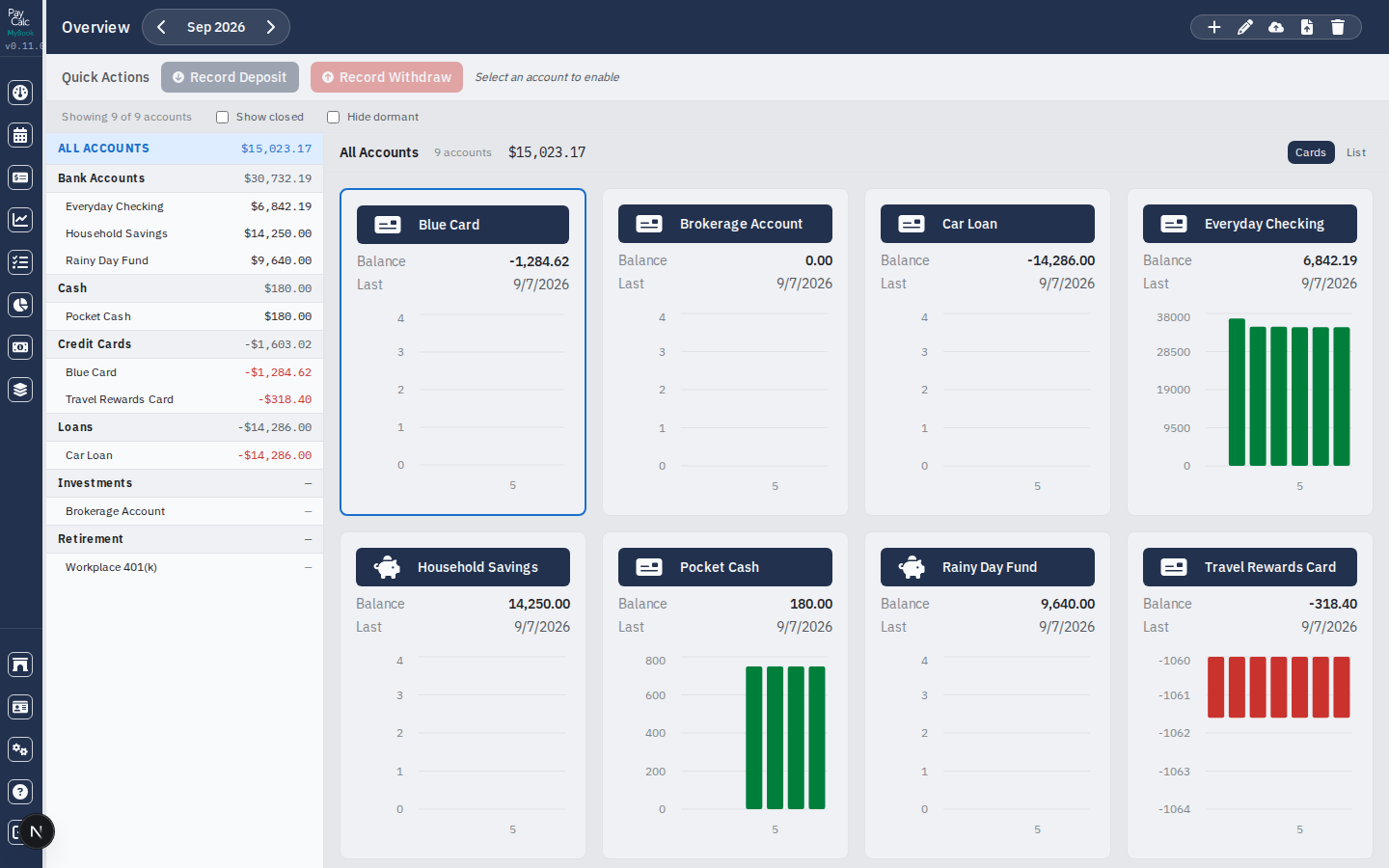
Every account the household holds
One ledger covers what a household actually owns and owes, rather than only the accounts a bank happens to show you. Each kind is grouped with a running total, and closing an account keeps its history without leaving it in the list.
Checking, savings and CDs
The day-to-day accounts, each with a running balance.
Cash and credit cards
Spending that never reaches a statement feed.
Loans and liabilities
What is owed, tracked beside what is held.
Brokerage and retirement
Holdings and their cash, on the same page as the rest.
What it does
Everything PayCalc gives you
- A register that reconciles
- Transactions per account with a running balance, grouped by month, searchable and filterable by date. Every row is uncleared, cleared or reconciled, and a purchase can be split across as many categories as it needs.
- Let the bank do the typing
- Connect through SimpleFIN or Plaid — whichever you prefer, set up with your own account — and Sync now pulls new transactions into the registers you paired. Your banking credentials are never typed here: you approve a read-only grant on the bank’s own page.
- Balances checked against the bank
- Every sync compares what the bank says the account holds against what the register now says. A mismatch is shown the moment it appears, rather than six weeks later at reconciliation.
- Holdings derived, not stored
- Positions and cost basis are worked out from the investment activity every time they are read, so they cannot drift out of agreement with the transactions behind them. Performance is measured against market benchmarks over the same period.
- Budgets from your own history
- Plan a year a month at a time, or fill it in from what you actually spent — this year’s figures or last year’s monthly average — then watch the balance run as the year goes on.
- Reports that answer questions
- Where the money went, how much you paid a payee, whether you are saving more than last year. Transfers between your own accounts are left out of both sides, and a split is counted by its parts rather than lumped under one heading.
- What is coming, and when
- Scheduled transactions from daily to yearly, including the last day of the month, and a calendar showing each day’s activity with the balance it ended on — what is scheduled included, so you can see a shortfall before it happens.
- Tax worked out before the year ends
- A planner covering federal and California income tax side by side, and a paycheck calculator that matches a real pay stub — withholding, HSA contributions and other earnings included. Schedule the paycheck straight from it.
- Categories that roll up
- Sub-categories total into their parent everywhere — on the reports and in the budget — so keeping detail costs you nothing at the top level.
- Bring your Quicken file
- One QIF export carries accounts, transactions, splits, investment activity, securities and price history. Import the same file twice and nothing is duplicated. CSV, Excel and OFX come in too.
A look around
5 pages, each doing one job
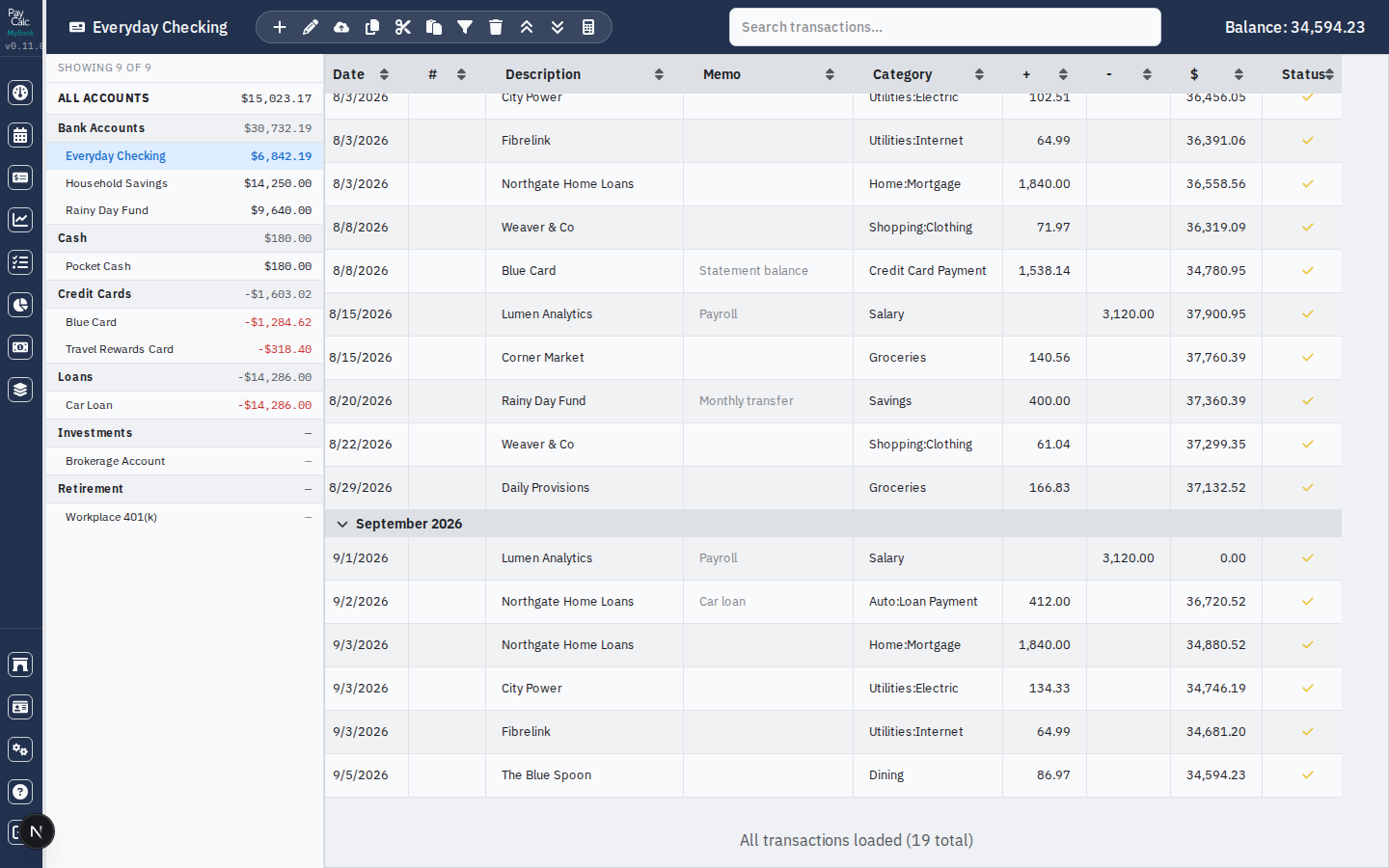
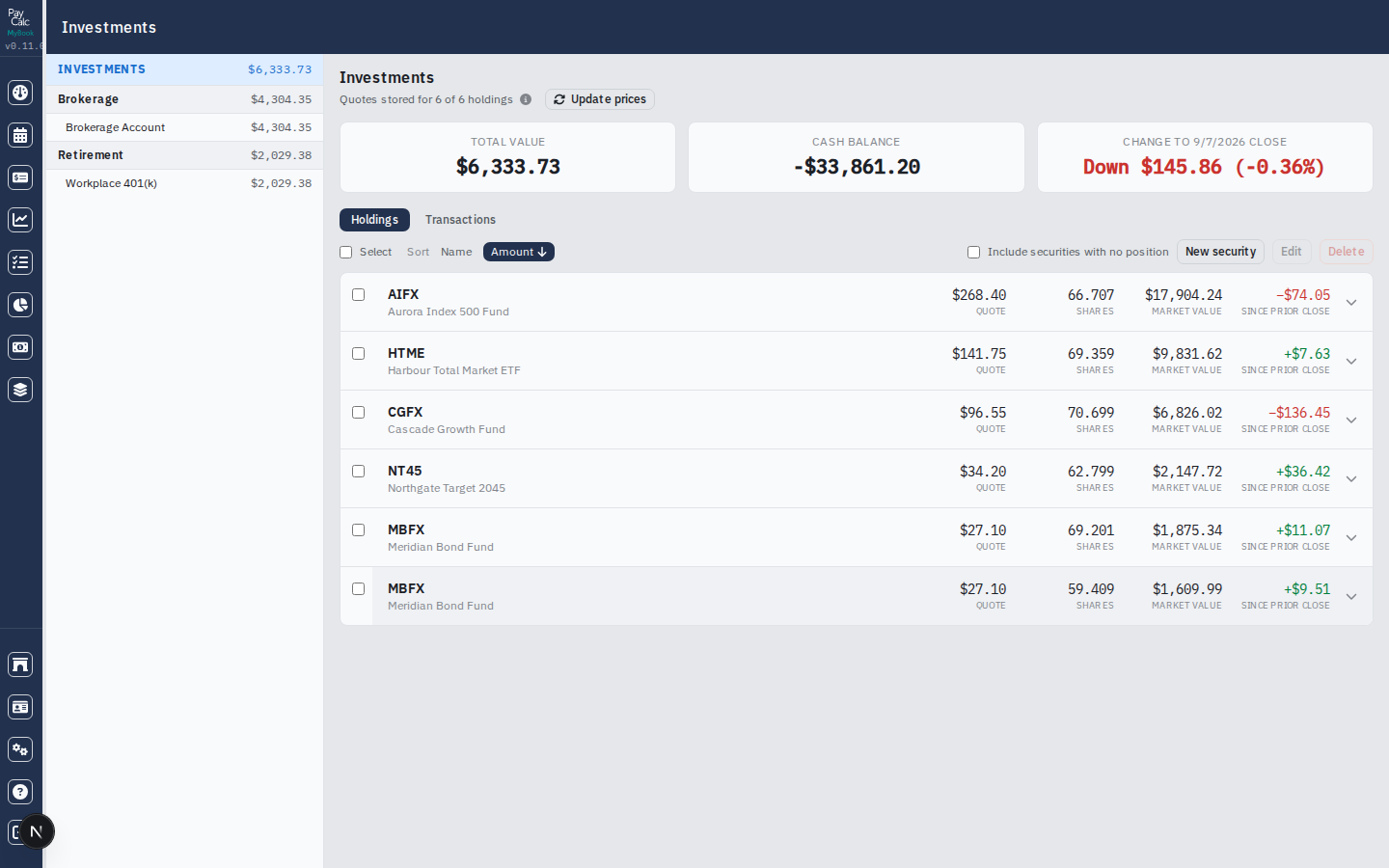
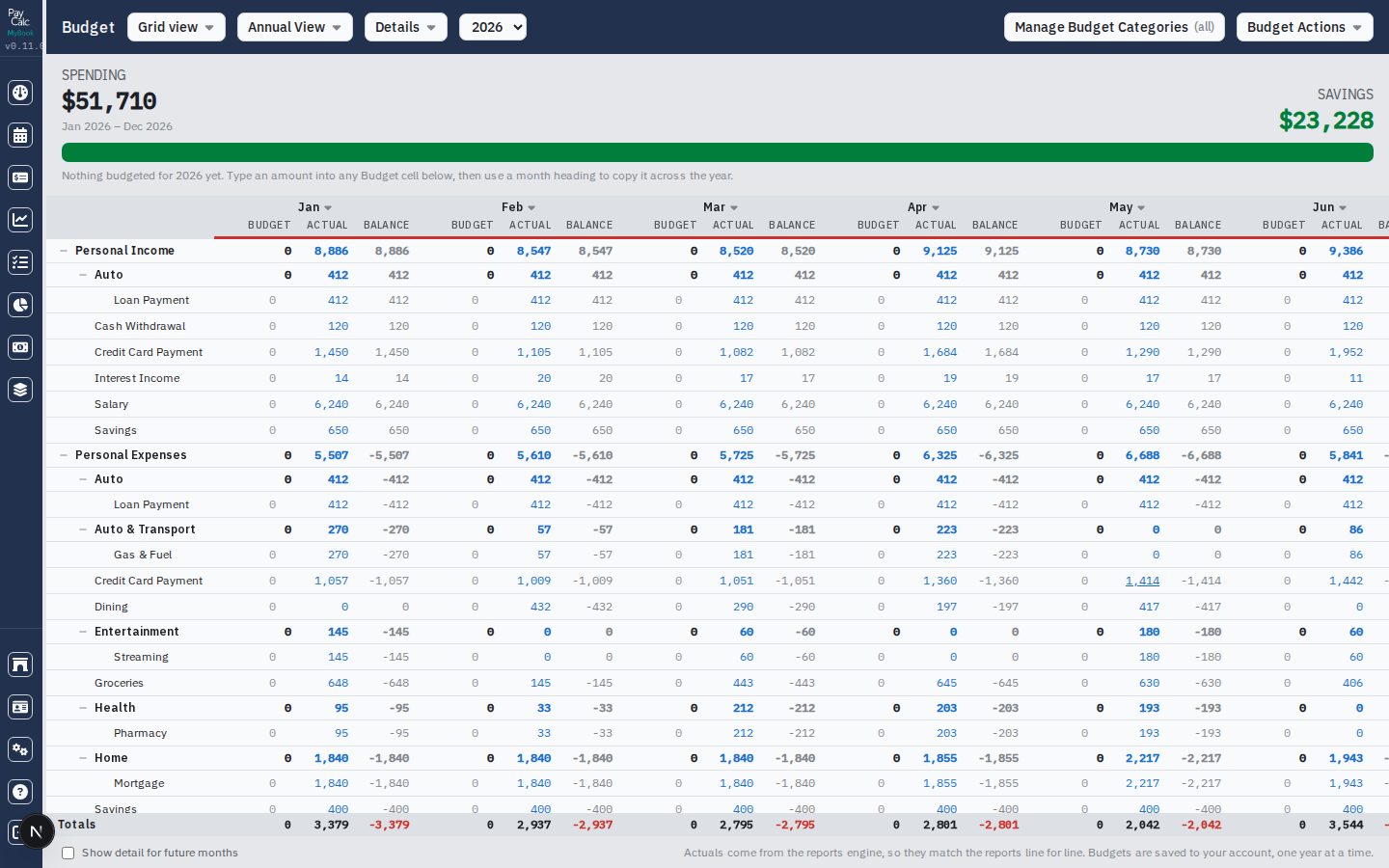
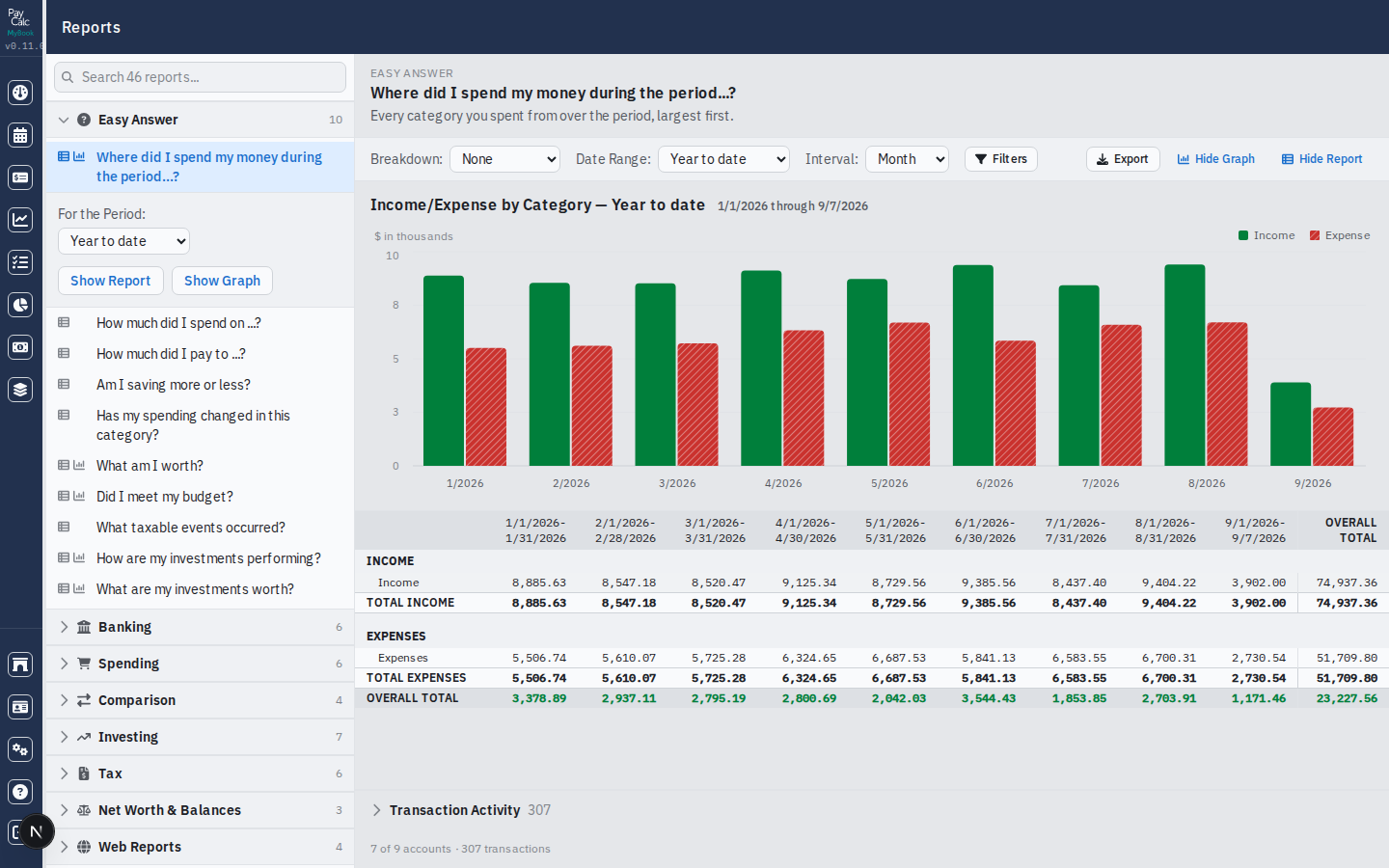
Screenshots use a demonstration file. The accounts, payees and figures in them are invented.
Start using PayCalc
One account covers every DGInterSoft application, PayCalc included.